This is my comic strip, this time converted to be more linear.

Friday, 9 March 2012

Friday, 2 March 2012
Group Reflection
Overall the feedback from my peers were quite positive. Many people liked the amount of detail I had put into it and the use of buttons for roll-over events. One of the suggestions to improve was to do more animations, so one of my goals is to add some form of animation to each frame. Another suggestion of how to improve it was to make it more linear, so rather than having all the frames on one page, I could have one frame then have a next button to scroll to the next frame. A third area for improvement was to add a title and end scene. What I will do is either create a title screen specific to the issue, or create a title screen that could be used on every issue of the comic. For the end frame I would make a frame with either "THE END" or "To Be Continued". So these are my targets for improving my comic strip:
1. Add more animations
2. Make the comic linear
3. Make a title frame and an end frame
1. Add more animations
2. Make the comic linear
3. Make a title frame and an end frame
Monday, 27 February 2012
Comic Strip Main Character
Here's an image of the main character from my comic strip, in 3D form. Most parts of the character are different pieces of models imported from Fallout 3, however the slingshot was created by me.

Here's a render of the slingshot.

Wednesday, 22 February 2012
Comic Strip Page 1
Link to full sized .swf file:
https://1444914129542510240-a-1802744773732722657-s-sites.googlegroups.com/site/comicstrippage1/swf/Comic%20Strip.swf
Individual Frames
Sunday, 22 January 2012
Final Cutscene Animation
Here it is, my finished "35 Second Cutscene Animation", hope you like it.
Reflection of My Animation
What did I do?
For my animation I chose to do a cutscene animation for Fallout (The first game, made by Interplay Entertainment). I decided that my animation would be set outside Vault 13 and that it would involve the Vault Dweller walk from the open vault door to the door control panel, using it and then watching the vault close. Then the scene would fade to another scene of the Vault Dweller walking slowly into the distant darkness of the cave.
How did I do it?
The first thing I did was create the vault door. Then using this vault door as a template I was able to create the wall that it goes into and the mechanism that closes it, texturing each object as I created it. Then I set about importing models from the Fallout 3 game files to use for the rest of my scene, the caves, the vault control panel and the corridor behind the door. Then I imported all the necessary objects to create a character, modifying the texture for the vault jumpsuit so it has a number “13” on its back rather than “101”. The final stage before starting on the animation was the lighting, using a mixture of omni lights and spoptlights with volume light I created two ceiling lights, several spotlights on the floor and the spotlight that hangs over the vault control panel. Then I started work on my animation, fully animating the closing of the vault door. Once I’d finished the vault door animation, I then fully rigged the character I had imported from Fallout 3. Then using an image of a walk cycle as a guide I started to animate the character. The first day I only animated the legs of the character walking from the vault door to the control panel, as I had tried and failed earlier on in the day. The second day I completed the animation of him walking to the control panel, and also the animation of him leaning in and operating the controls. On the third and final day of animating I animated him standing back and watching the vault door close and him walking into the darkness of the cave.
Did the final outcome meet my original intentions?
Yes, I actually think it might have come out a little bit better than I expected. There were a few things that I underestimated the difficulty to do, but over all I did underestimate my ability to animate as it had only been my third or fourth time.
How did I manage my time?
Overall, not too well. The reason being is that I didn’t really think about how long it was going to take to create the animation I had thought of, causing me to spend most of my free time at home trying to keep up with the deadline. Although given the fact that I did finish the animation on time I did manage it quite well, once I realised that I wouldn’t be able to finish it in lesson time alone.
Thursday, 19 January 2012
Final Render
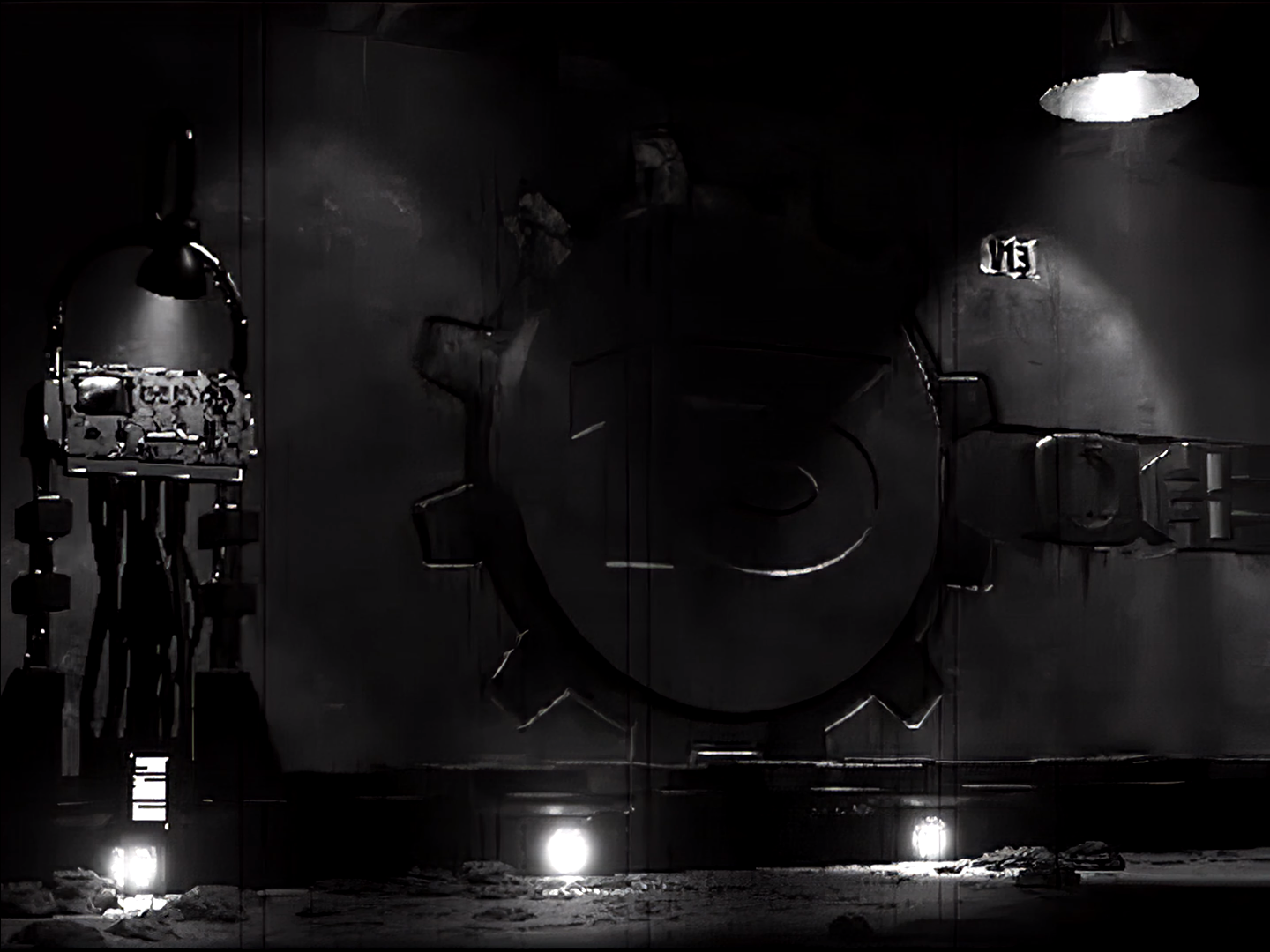
Here's a final render of the scene that my 10 second animation is going to take place.

For comparison, here's a screenshot of the same place from the opening sequence in Fallout 1.
Tuesday, 10 January 2012
10 Second Cutscene Animation - The Idea and Inspiration
For my ten second cutscene animation I have chosen Fallout. What I will be doing is continuing the first cutscene at the beginning of the game when you are sent out of Vault 13 into the wasteland, tasked with finding a Water Chip to replace the broken one.
Here's the cutscene from the game itself
This cutscene will have been created sometime during 1997 when the game was first released. My animation will follow this, showing the protagonist, the Vault Dweller, walking through the opening and the vault door closing. I also expect I will be adding some sound affects, rats squeaking, the groan of the metal vault door closing and the blaring sirens that accompany the opening of vault doors. I have many references for how the entire scene looks, from the in-game location to other cutscenes throughout the game.

Subscribe to:
Posts (Atom)